
Built for Aussie builders
Builders, turn site notes into professional scopes faster.
Structure trades, inclusions, exclusions, quantities and project details into a clean Scope of Works ready for clients.
10 scopes on us. No credit card. Then $99 per user a month.
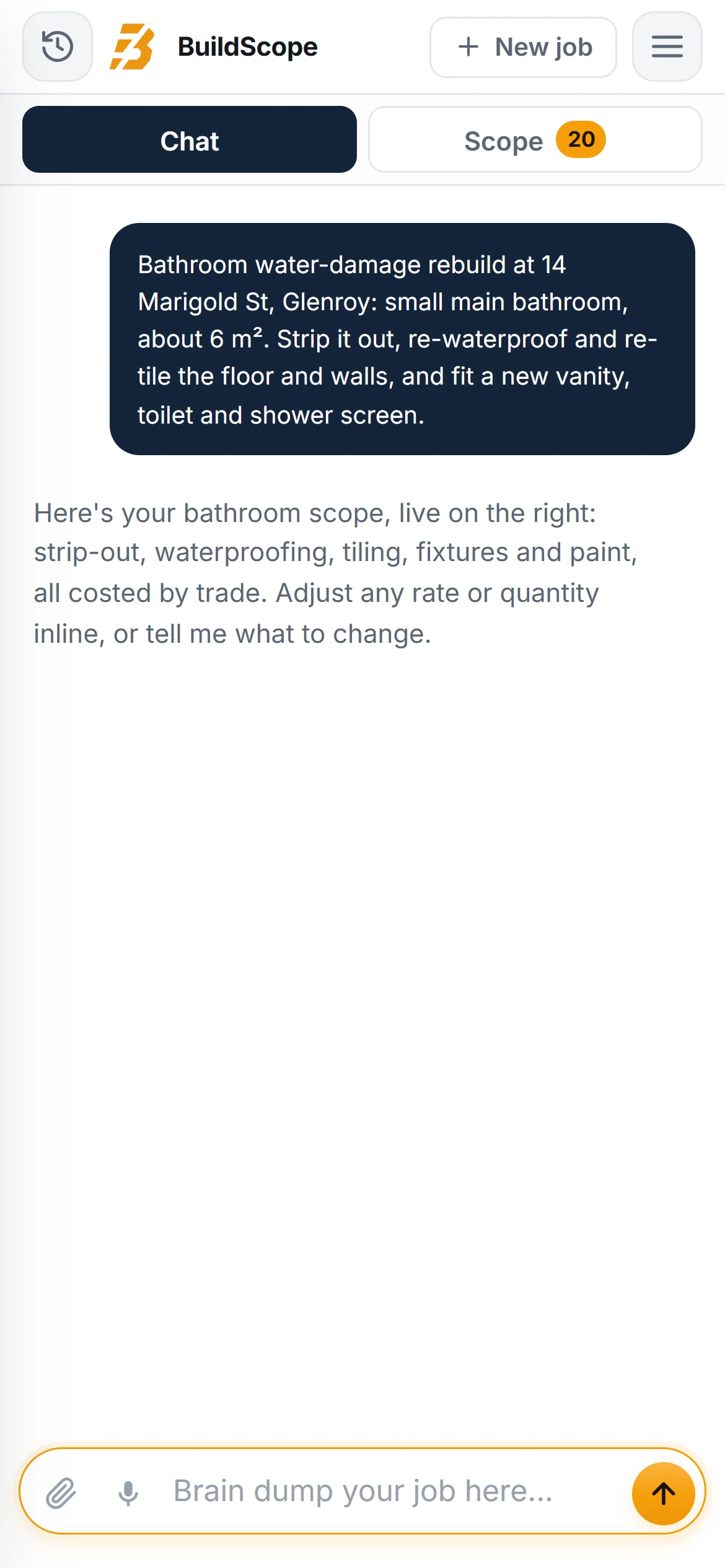
Sound familiar, builder?
Your builders quoting is costing more than time.
Trades missed at quote stage.
Easy to miss. Expensive to fix.
Vague client briefs.
Easy to miss. Expensive to fix.
Hours lost retyping scopes.
Easy to miss. Expensive to fix.
Disputes over inclusions.
Easy to miss. Expensive to fix.
Nothing slips through
What BuildScope checks on every builder job.
Industry-specific inclusions, prompted before you send the scope, not discovered after you win it.
- Site set up
- Demolition
- Make safe
- Framing
- Roofing
- Cladding
- Fix out
- Painting
- Final clean
The scope itself
What goes into a builder scope of works.
A builder is pricing every other trade as well as their own, so a builder scope fails at the joins: the trades nobody listed and the inclusions nobody wrote down.
Line items that belong on it
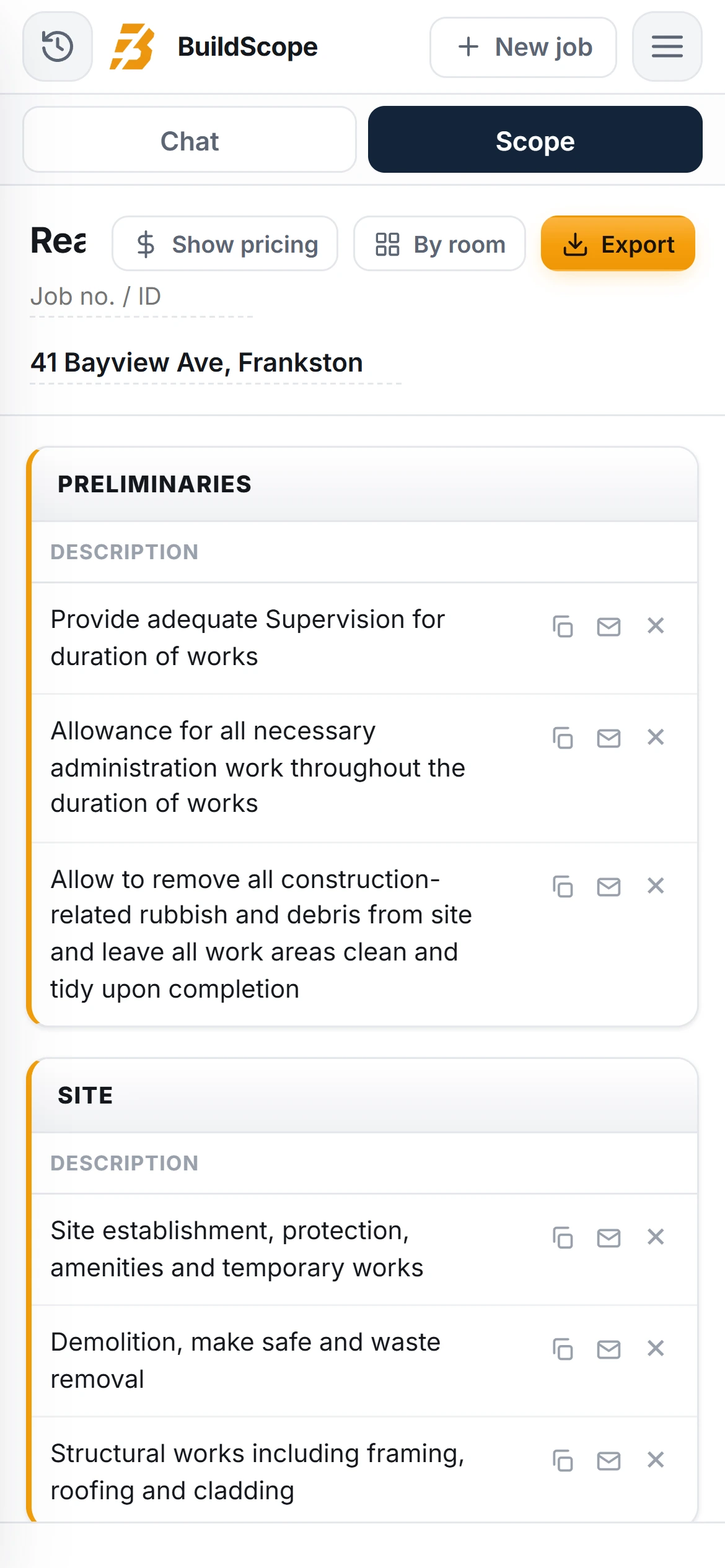
- Site establishment, protection, amenities and temporary works
- Demolition, make safe and waste removal
- Structural works including framing, roofing and cladding
- Services coordination and rough-in by subcontract trades
- Fix out, finishes and final clean on completion
What gets left off
- Supervision and site administration. You run the job and chase the trades on every project, and it is rarely priced.
- The gaps between trades. Making good after the sparky and the plumber belongs to someone, usually you.
- Progressive site clean and bins. Every trade leaves rubbish and the tip runs add up across a whole build.
Worth excluding in writing
- Works by others or under separate contract
- Council and authority fees and contributions
- Latent conditions found once the structure is opened up
Where BuildScope fits
You run the job. BuildScope does the paperwork in the middle.
Builders know how to walk a job and price it. BuildScope takes the paperwork between the site meeting and the quote going out.
- 01 Enquiry lands Client rings or emails. You book a time to look at the job.
- 02 Site meeting You walk the job, measure up and take your photos.
- 03 Brain dump Talk or type the job into BuildScope, on site or in the ute.
- 04 The questions BuildScope asks what a tired estimator forgets: access, protection, rubbish, patching.
- 05 Scope of Works A full scope, trade by trade, preliminaries first, PC and PS kept separate.
- 06 Price and export Check quantities and pricing, apply your margin and GST, export the client-ready PDF.
- 07 Send and sign You send the PDF. The acceptance page is already in there for the client to sign.
- 08 Job runs Book the trades and get moving. The scope is your checklist and your variation defence.
BuildScope covers steps 03 to 06. You do the trade work, it does the paperwork.
Builders already running accounting software? No worries.
Build the scope in BuildScope the way you always do, then move the job into your accounting or job management software as a draft, with the PDF attached. Nothing reaches your client until you send it.
How it works
Three steps from site visit to client-ready scope.
Describe the job
Brief the whole job in one go: the trades involved, the sequence, and what the client has and has not decided yet.
Answer the questions that matter
BuildScope asks the builder questions: which trades are in the contract, what is by others, where the allowances sit, and what needs confirming on site.
Review and send
Review the scope trade by trade in build order, split your PC and PS allowances, and export a document the client can actually follow.
Pricing
Get those hours back for $99 a month.
Per user, everything included. Try it free for 7 days, your first 10 scopes are on us. No credit card.
BuildScope
Everything included, priced per user.
$99per user / month
Or pay $990 a year and get 2 months free.
Start free
No credit card required.
Prices in AUD, excluding GST. Unlimited scopes after trial. No feature gates. Cancel anytime.
Everything included
- Unlimited scopes after your trial
- Voice notes and photo capture
- Professional scopes and quotes
- Branded PDF exports
- Shared job history across your team
- iPhone, iPad, Android and desktop
- No feature gates
- Export and hand off to the software you already use
FAQ
Questions builders ask before signing up.
Is BuildScope built for builders?
Can BuildScope help builders avoid missed items?
What should a builder scope of works include?
How do builders stop trades being missed at quote stage?
Can I edit the scope after the AI builds it?
Does BuildScope work from voice notes and photos?
How does the free trial work?
Does BuildScope work with the software I already use?
Turn today's builder site visit into today's quote.
Stop letting good leads sit in your camera roll.
7 days free, 10 scopes on us. Then $99 per user a month.